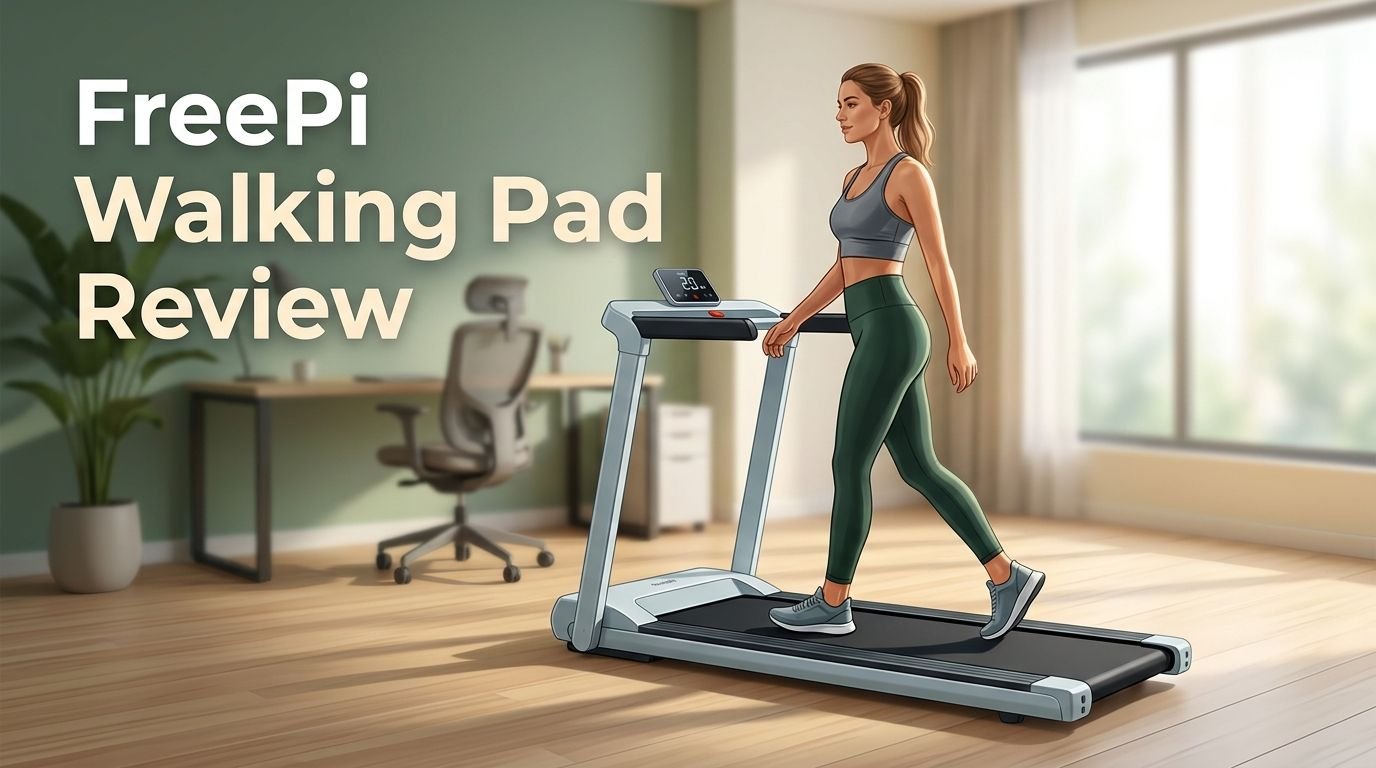
FreePi Walking Pad Review 2026: Worth Your Money?
Are you looking for a simple way to stay active while working from home? The FreePi Walking Pad has quickly become one of the most talked about under desk treadmills on Amazon. It promises a 4 in 1 design, incline options, and a quiet motor at a price that undercuts many competitors.
But does it actually deliver? We spent weeks researching user feedback, testing data, and expert opinions on the FreePi Walking Pad. This review covers every detail you need to make a smart buying decision. We break down the specs, the pros, the cons, and everything in between.
If you have been scrolling through dozens of walking pad options and feel confused, you are in the right place. This post gives you an honest, detailed look at the FreePi Walking Pad so you can decide if it fits your home or office setup.
Key Takeaways
- The FreePi Walking Pad offers a 4 in 1 design that includes walking mode, working mode, hiking mode, and running mode. This gives you more workout variety than many pads in its price range. You can switch between modes based on your fitness goals or your schedule.
- It features a 2.5HP motor that operates at under 45 decibels. This means you can walk during Zoom calls or while watching TV without disturbing anyone around you. The quiet operation is one of its biggest selling points.
- The weight capacity goes up to 340 lbs on the newer models. This is above average for budget walking pads. Many competing products cap out at 220 to 265 lbs, so the FreePi stands out for larger users.
- The incline feature uses removable foot pads rather than an automatic motor. This keeps the price low but means you need to manually adjust the incline. Expect a range of 0 to 4 degrees of slope.
- The speed range is 0.6 to 3.8 mph. This covers casual walking all the way to a brisk jog. It is not built for serious runners, but it handles daily step goals very well.
- Customer reviews on Amazon are mixed, with an average around 3 to 4 stars. Most users love the value and quiet motor. Common complaints include the remote control quality and limited belt width for taller users.

- 4 in 1 Walking Pad : Speed mode 0.6-3.8, we provide walking mode (0.6-2.5mph) working mode...
- Wide Non-slip Running Belt & Shock Reduction : Our treadmill with a durable steel frame and 5 layers...
Last update on 2026-06-22 / Affiliate links / Images from Amazon Product Advertising API Some of the links on this website are affiliate links, which means that at no additional cost to you, I earn a commission if you click through and make a purchase. I only recommend products and services that I believe will add value to my readers. Thank you for your support!
FreePi Walking Pad 4 in 1 Under Desk Treadmill
The FreePi Walking Pad is a compact under desk treadmill built for home and office use. It comes from the FreePi brand, which focuses on affordable fitness products sold through Amazon. The product has gained a strong following among remote workers and apartment dwellers who want to stay active without a full size treadmill.
This walking pad measures roughly 46.5 inches long by 19.1 inches wide by 4.4 inches tall. That slim profile lets it slide under most standing desks or store behind a door. It weighs around 44 to 50 lbs depending on the model version, which makes it portable enough to move between rooms.
The 2.5HP motor powers the belt smoothly across four modes. Walking mode runs from 0.6 to 2.5 mph. Working mode stays between 0.6 and 1.5 mph for slow paced desk work. Hiking mode offers 1 to 2.5 mph with the incline pads attached. Running mode pushes up to 3.8 mph for a light jog.
FreePi includes a magnetic remote control, an LED display, and a detachable phone holder in the box. The remote clips onto your clothing for easy access during walks. The LED screen shows speed, time, distance, and calories burned.
How the 4 in 1 Design Works
The 4 in 1 system is the main feature that separates the FreePi from basic walking pads. Each mode changes the speed range and the intended use case. This makes the pad flexible enough for different times of the day and different fitness levels.
Walking mode is the go to setting for daily step goals. You set a comfortable pace between 0.6 and 2.5 mph and walk at your own rhythm. Many users report hitting 10,000 to 15,000 steps per day using this mode during work hours.
Working mode limits the speed to 1.5 mph. This slower pace keeps you moving without breaking a sweat or losing focus on your tasks. It is ideal for typing, reading, or phone calls. The gentle motion helps reduce the negative effects of sitting all day.
Hiking mode uses the included incline foot pads to raise the back of the treadmill. This creates a 2 to 4 degree slope that simulates a mild uphill walk. The incline adds extra calorie burn and targets your glutes and calves more than flat walking.
Running mode opens the full speed range up to 3.8 mph. This is not a true running speed for most people, but it works well for a brisk jog or power walk. Keep in mind that the belt width may feel narrow at jogging speeds if you have a wider stance.
Build Quality and Materials
The FreePi Walking Pad uses a steel frame as its base structure. This gives the unit decent stability during use. The belt surface has 5 layers of non slip material that provide grip and cushion each step.
Underneath the belt, 6 silicone shock absorbers reduce the impact on your joints. This is a nice touch for a budget walking pad. Users with knee or ankle concerns have reported that the cushioning feels softer than walking on hard floors.
The overall build feels solid for the price point. However, some reviewers have noted that the plastic housing around the motor area can feel a bit cheap. It does its job of protecting the motor and reducing noise, but it lacks the premium feel of higher priced units.
The LED display panel sits at the front of the pad. It is bright enough to read during the day but does not have a backlit screen for dark rooms. The display shows your current speed, elapsed time, total distance, and estimated calories burned.
One area where build quality takes a small hit is the remote control. Several users have mentioned that the remote feels lightweight and the buttons can be unresponsive at times. Replacement remotes are available on Amazon, but this is still a common pain point.
Top 3 Alternatives for FreePi Walking Pad
If you want to compare the FreePi with other popular options, here are three strong alternatives worth checking out.
AXV Vibration Plate

- ✅BUILD YOUR DREAM BODY: Jump on your vibrating exercise machine to instantly sculpt your ideal...
- ✅RELIEF, REHABILITATION & REPAIR: The AXV vibration plate delivers efficient and gentle Whole Body...

Last update on 2026-06-27 / Affiliate links / Images from Amazon Product Advertising API Some of the links on this website are affiliate links, which means that at no additional cost to you, I earn a commission if you click through and make a purchase. I only recommend products and services that I believe will add value to my readers. Thank you for your support!
UREVO Walking Pad with APP

- 3-IN-1 VERSATILE DESIGN: Functions as a walking pad, under desk treadmill, and incline trainer to...
- POWERFUL 2.5HP MOTOR: Equipped with a robust 2.5 horsepower motor that delivers smooth, quiet...
Last update on 2026-06-27 / Affiliate links / Images from Amazon Product Advertising API Some of the links on this website are affiliate links, which means that at no additional cost to you, I earn a commission if you click through and make a purchase. I only recommend products and services that I believe will add value to my readers. Thank you for your support!
WalkingPad C2 Foldable Treadmill

- walking pad C2 foldable treadmills
Last update on 2026-06-27 / Affiliate links / Images from Amazon Product Advertising API Some of the links on this website are affiliate links, which means that at no additional cost to you, I earn a commission if you click through and make a purchase. I only recommend products and services that I believe will add value to my readers. Thank you for your support!
Noise Level and Motor Performance
One of the biggest concerns with home walking pads is noise. The FreePi addresses this with a 2.5HP motor that operates under 45 decibels. For context, 45 decibels is roughly the volume of a quiet library or a soft whisper.
During actual use, the motor hum stays in the background. You can comfortably take phone calls or join video meetings while walking on it. Several YouTube reviewers have confirmed that the sound does not pick up on microphones during calls.
The motor delivers consistent power across all speed settings. It does not struggle or stutter at lower speeds like some cheaper alternatives. At the max speed of 3.8 mph, the motor still runs smoothly without overheating during 30 to 45 minute sessions.
The multi layer motor cover helps contain the sound. FreePi claims this protective layer also extends the motor’s lifespan by keeping dust and debris out. This is hard to verify long term, but the design logic makes sense.
One thing to note is that the noise level can increase slightly if the belt is not properly aligned. Users who have experienced louder sounds usually fixed the issue by adjusting the belt tension with the included tools. This is a common maintenance step for most walking pads.
Incline Feature: Manual but Functional
Unlike many premium treadmills, the FreePi does not have an automatic incline motor. Instead, it uses removable rubber foot pads that you place under the rear legs. This raises the walking surface by 2 to 4 degrees.
This manual approach has pros and cons. The biggest advantage is cost savings. An automatic incline system would add $100 to $200 to the price. FreePi keeps the pad affordable by using this simple solution.
The foot pads come in two sizes. The shorter pad creates a gentle 2 degree incline. The longer pad gives you the full 4 degree slope. You can also stack them for a slightly steeper angle, though FreePi does not officially recommend this.
The downside is that you cannot change the incline mid workout. You need to stop the pad, step off, and swap the foot pads. This breaks your momentum and makes interval training with incline changes impractical.
For most users who just want a slight uphill walk during their work day, the manual incline works fine. It adds a noticeable difference to calorie burn and muscle engagement without adding complexity to the machine.
Setting Up the FreePi Walking Pad
One of the best things about the FreePi is how fast you can start using it. The pad arrives mostly assembled out of the box. You do not need any special tools or mechanical skills to get it running.
Unbox the unit, place it on a flat surface, and plug it in. The entire setup process takes about 5 to 10 minutes. The included quick start guide walks you through each step with clear pictures.
You will need to insert batteries into the remote control and attach the phone holder if you plan to use it. The phone holder clips onto the front edge of the pad. It fits most smartphones and stays stable during walking.
Some users recommend letting the belt run empty for 5 minutes before stepping on. This helps the belt settle into its track and ensures smooth operation from the first session. It also gives you a chance to check if the belt is centered correctly.
The pad works on both carpet and hard floors. FreePi includes rubber feet that grip smooth surfaces. On carpet, the weight of the unit keeps it stable. If your floor is very slick, you can place a yoga mat underneath for extra grip.
Using the FreePi at a Standing Desk
The FreePi was built with under desk use in mind. Its low profile of 4.4 inches fits under most adjustable standing desks. You can walk at slow speeds while typing, reading emails, or attending virtual meetings.
For the best experience, set your desk height 2 to 4 inches higher than your normal standing position. This accounts for the extra height of the walking pad. Most electric standing desks have enough range to handle this adjustment.
Working mode at 0.6 to 1.5 mph is the ideal speed range for desk tasks. At this pace, your upper body stays stable enough for typing. Your hands remain steady on the keyboard, and your eyes can focus on the screen.
Many users report that walking during work improves their focus and energy levels. The gentle movement keeps blood flowing and reduces the afternoon slump. Some users have reported walking 5 to 8 miles during a standard work day without feeling tired.
The phone holder doubles as a tablet stand for lighter devices. This lets you watch content or reference documents while walking at faster speeds after work. The holder tilts to a comfortable viewing angle.
Weight Capacity and Who It Fits
The newer FreePi models support up to 340 lbs of weight. This is one of the highest capacities among budget walking pads. Most competitors in the same price range offer between 220 and 265 lbs.
This higher capacity makes the FreePi a good option for larger individuals who have been excluded from other walking pads. The steel frame and wide belt help distribute weight evenly across the surface.
The belt width measures about 16 to 17 inches depending on the model. This is standard for walking pads but can feel narrow for users with wider hips or a wider stride. If you are over 6 feet tall, you may find the belt length a bit short for jogging.
For users under 250 lbs, the pad feels very stable and secure. The cushioning absorbs each step, and the belt tracks smoothly. Heavier users close to the 340 lb limit may notice slightly more belt flex, but the motor handles the load without issues.
FreePi recommends wearing flat soled shoes or sneakers during use. Walking barefoot or in socks is not advised because the belt surface needs shoe grip to work properly. This also protects your feet from friction burns at higher speeds.
Remote Control and LED Display
The FreePi comes with a small magnetic remote control that clips onto your shirt collar or waistband. It has buttons for start, stop, speed up, and speed down. The remote uses a CR2032 battery that lasts several months.
The magnetic attachment is a smart design choice. You can clip the remote to your clothing and adjust speed without reaching down to the display panel. This is especially useful during under desk walking sessions.
However, the remote is the most criticized part of the FreePi. Some users report delayed response times or buttons that require multiple presses. Others have had their remote stop working within a few months. FreePi sells replacement remotes on Amazon for around $10 to $15.
The LED display at the front shows four data points: speed, time, distance, and calories. The numbers are clear and easy to read at a glance. The display updates in real time as you walk.
There is no app connectivity on the standard FreePi model. Some newer versions offer Bluetooth app support, but the core model relies on the remote and display for all controls. If app tracking is important to you, check the specific model listing before buying.
Comparing FreePi to Sperax Walking Pad
The Sperax Walking Pad is the most direct competitor to the FreePi. Both sit in a similar price range and offer multiple modes. But they have key differences worth noting.
Sperax includes a vibration platform feature that the FreePi does not offer. This means the Sperax can double as a vibration fitness machine. You stand on the pad while it vibrates at different intensities for passive muscle stimulation.
The FreePi has a higher weight capacity at 340 lbs compared to the Sperax at around 320 lbs. The FreePi also offers more incline options with its manual foot pads. Sperax focuses more on the vibration and walking combination.
In terms of noise, both pads perform similarly. Users report both stay under 50 decibels during normal use. The Sperax may have a slight edge in belt smoothness at lower speeds based on user reviews.
Build quality is comparable between the two. Both use steel frames with multi layer belts. The Sperax has a slightly sleeker design, while the FreePi feels a touch more industrial. Your choice may come down to whether you value the vibration feature or the incline option more.
Customer Reviews: What Real Users Say
- 4 in 1 Walking Pad : Speed mode 0.6-3.8, we provide walking mode (0.6-2.5mph) working mode...
- Wide Non-slip Running Belt & Shock Reduction : Our treadmill with a durable steel frame and 5 layers...
Last update on 2026-06-22 / Affiliate links / Images from Amazon Product Advertising API Some of the links on this website are affiliate links, which means that at no additional cost to you, I earn a commission if you click through and make a purchase. I only recommend products and services that I believe will add value to my readers. Thank you for your support!
Customer feedback on Amazon paints a mixed but mostly positive picture. The FreePi averages between 3 and 4 stars across its various models. Let us break down what people love and what frustrates them.
Positive reviews highlight the quiet motor, easy setup, and great value for the price. Many users say it helped them hit their daily step goals without leaving their home office. Parents working from home love that they can walk while watching their kids.
The incline feature gets praise from users who want extra calorie burn. Even the manual foot pads create enough of a slope to make walks feel more productive. Users with joint concerns appreciate the shock absorbing belt.
On the negative side, the remote control is the most common complaint. Users describe it as flimsy, unresponsive, or short lived. The narrow belt width also frustrates taller users who feel cramped during faster walks.
Some users have reported belt alignment issues within the first few weeks. The belt can drift to one side and needs manual adjustment. FreePi includes instructions for this, but it adds a maintenance step that some buyers did not expect.
Is the FreePi Walking Pad Worth Buying?
The FreePi Walking Pad delivers strong value for its price. It sits in the $130 to $200 range depending on the model and current deals. For that price, you get a 4 in 1 system, manual incline, a quiet motor, and a high weight capacity.
It is a great fit for remote workers who want to stay active during the day. The under desk design, low noise, and working mode speed range make it ideal for this purpose. It also works well for anyone who wants a simple, low impact cardio option at home.
It is not the best choice for serious runners or anyone who wants automatic incline. The 3.8 mph max speed and manual incline system have clear limits. If you plan to run at 5+ mph or want quick incline changes, look at a full size treadmill instead.
The remote control issue is real but manageable. You can work around it by using the display panel controls directly. And replacement remotes are cheap if yours fails. It is a small annoyance on an otherwise solid product.
For budget conscious buyers who want a reliable walking pad with extra features, the FreePi is one of the better options on Amazon right now. It outperforms many competitors in weight capacity and mode variety at a similar or lower price.
Maintenance Tips for Your FreePi Walking Pad
Keeping your FreePi in good shape requires minimal effort. A few simple habits will extend the life of the belt, motor, and frame.
Wipe down the belt surface once a week with a damp cloth. Dust and debris build up over time and can affect belt traction. A clean belt also reduces wear on the motor.
Check the belt alignment every two weeks. Stand behind the pad and watch the belt run for 30 seconds. If it drifts to one side, use the included Allen wrench to adjust the rear rollers. A quarter turn is usually enough to center it.
Lubricate the belt every 2 to 3 months with silicone treadmill lubricant. Apply a thin line down the center of the deck under the belt. This reduces friction and keeps the belt moving smoothly. FreePi does not include lubricant in the box, so you will need to purchase it separately.
Avoid placing the walking pad in direct sunlight or humid areas. Heat and moisture can damage the electronic components and warp the belt material. A cool, dry room is the best environment for long term storage and use.
Unplug the pad when not in use. This protects the electronics from power surges and saves a small amount of electricity. It also resets the system if you experience any glitches with the display or remote.
Who Should Buy the FreePi Walking Pad
The FreePi works best for a specific group of buyers. Here is a clear breakdown of who will benefit most from this walking pad.
Remote workers top the list. If you spend 6 to 8 hours at a desk each day, the FreePi lets you walk 3 to 8 miles without changing your routine. The working mode keeps your pace slow and steady for typing and meetings.
Apartment dwellers benefit from the compact size and low noise. You can store the pad under a bed, couch, or closet shelf. Your neighbors will not hear you walking at normal speeds.
Beginners who are new to fitness will appreciate the low speed range and gentle cushioning. The FreePi does not push you to go fast. It lets you build a walking habit at your own pace. The 0.6 mph starting speed is slow enough for anyone.
Larger users up to 340 lbs finally have an affordable option. Many budget walking pads exclude heavier individuals with low weight limits. The FreePi’s steel frame and strong motor handle higher body weights without strain.
People recovering from injuries can use the low speeds and cushioned belt for gentle rehab walks. Always check with your doctor first, but the FreePi’s smooth belt and shock absorption make it kinder on joints than pavement walking.
Frequently Asked Questions
How much does the FreePi Walking Pad cost?
The FreePi Walking Pad typically costs between $130 and $200 on Amazon. Prices vary based on the model version and current promotions. The brand frequently runs discounts during Prime Day, Black Friday, and other Amazon sale events. Check the current listing for the most accurate price.
Can you run on the FreePi Walking Pad?
The max speed of 3.8 mph allows a light jog but not a full run. Most people jog at 4 to 6 mph, so the FreePi falls short for true running. It works best for walking and brisk power walking. If running is your goal, consider a full size treadmill with higher speed capacity.
Does the FreePi Walking Pad have Bluetooth or app support?
The standard FreePi model does not include Bluetooth or app support. Some newer versions listed on Amazon do offer app connectivity. Check the product description of the specific ASIN you plan to buy. The base model uses only the remote control and LED display for operation.
How loud is the FreePi Walking Pad?
The FreePi operates at under 45 decibels during normal walking speeds. This is quiet enough for phone calls, video meetings, and watching TV. The noise level may increase slightly at the highest speed or if the belt needs alignment adjustment. Overall, it is one of the quieter walking pads in its price range.
What is the warranty on the FreePi Walking Pad?
FreePi offers a standard warranty through Amazon. The exact terms vary by seller and model, so check the product listing before purchase. Most users have reported that FreePi customer support responds to issues within a few business days. Keep your order confirmation and packaging in case you need to file a return or warranty claim.
Is the FreePi Walking Pad good for tall people?
Users over 6 feet tall may find the belt length and width slightly limiting, especially at faster speeds. The belt measures about 40 inches long and 16 to 17 inches wide. For casual walking at under desk speeds, taller users generally have no problems. For brisk walking or jogging, taller users may prefer a pad with a longer deck.

Hi, I’m Elowen Porter, the creator of GreenLight.blog.
I share honest reviews and insights on supplements and Amazon health products to help you make smarter wellness choices.
With a passion for natural living and evidence-based products, I dig deep to find what truly works.
My goal is to simplify your supplement search with real results and trusted recommendations.
Let’s make healthy living a little easier—one product at a time.