Lichico Under Desk Treadmill Review: Your Complete Guide 2026
Are you tired of sitting all day while you work? Do you feel like your desk job is making you less active than you want to be? You are not alone. Thousands of people face this same problem every single day.
The good news is simple. You can now walk and work at the same time. The Lichico Under Desk Treadmill makes this possible.
This review will show you everything you need to know about this walking pad. You will learn if this product is right for you.
Key Takeaways:
- Powerful Motor Performance: The Lichico features a 3.0 HP brushless motor that runs quietly and efficiently. This motor gives you speeds from 0.5 to 8.7 mph. You can walk slowly while working or jog during breaks.
- Space Saving Design: This treadmill folds completely flat. You can store it under your bed, behind your couch, or against a wall. The 2 in 1 foldable design works perfectly for small apartments and home offices.
- Generous Walking Surface: The running belt measures 47 inches long and 16 inches wide. This size gives you plenty of room to walk comfortably. Taller people will appreciate the extra space for natural strides.
- Weight Capacity: The treadmill supports users up to 265 pounds. This capacity works for most people. The sturdy construction keeps the machine stable even at higher speeds.
- Smart Features Included: You get both remote control and app connectivity. The LED display shows your speed, time, distance, and calories burned. You can adjust settings without bending down or stopping your work.
- Budget Friendly Price: The Lichico costs around $99 to $199 depending on the model. This price point makes it more affordable than many competitors. You get excellent value for your money.

- 【Whisper-Quiet Operation】 Utilizing advanced 2.5HP brushless motor, our walking pad runs super...
- 【Dual Shock Absorption】 Equipped with both suspended shock-absorbing deck and high-performance...
Last update on 2026-06-07 / Affiliate links / Images from Amazon Product Advertising API Some of the links on this website are affiliate links, which means that at no additional cost to you, I earn a commission if you click through and make a purchase. I only recommend products and services that I believe will add value to my readers. Thank you for your support!
What Is the Lichico Under Desk Treadmill
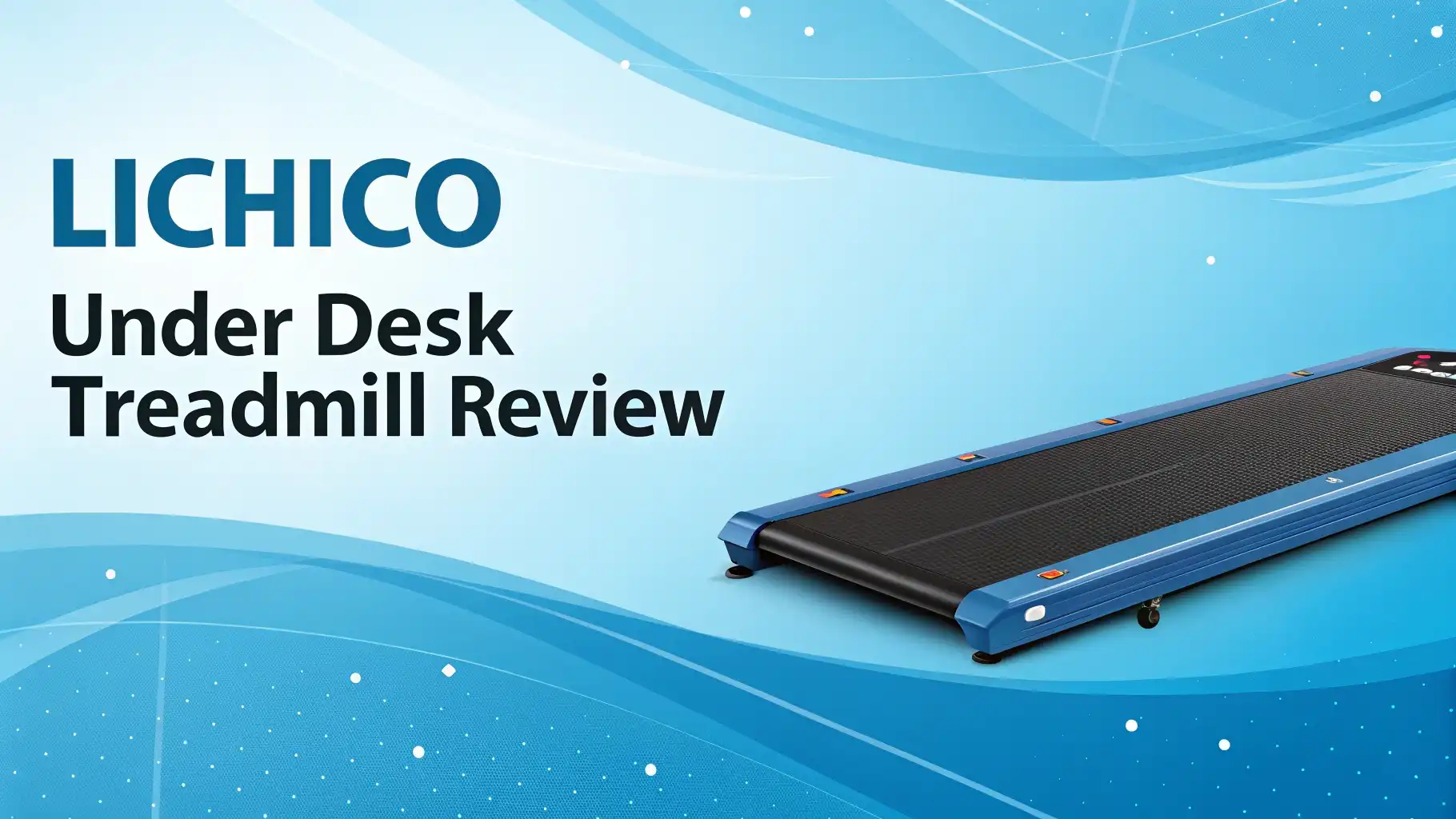
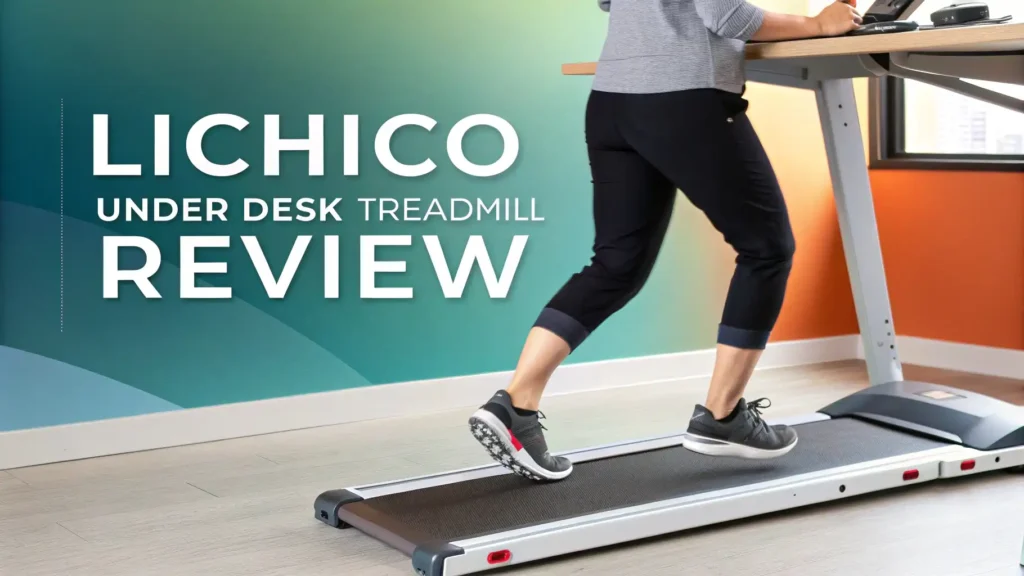
The Lichico Under Desk Treadmill is a compact walking pad designed for home and office use. This machine lets you walk while you work at your desk. The treadmill sits low to the ground. It fits under most standing desks easily.
This device works differently from regular treadmills. Traditional treadmills have tall handles and large frames. They take up entire rooms. The Lichico design is slim and portable. You can move it from room to room without help.
The product comes with a brushless motor that runs very quietly. You will not disturb other people in your home or office. The motor provides smooth acceleration. You can start walking at slow speeds and gradually increase as you get comfortable.
Why You Need an Under Desk Treadmill
Your body was designed to move. Sitting for long hours causes serious health problems. Research shows that prolonged sitting increases your risk of heart disease, diabetes, and obesity. Even if you exercise after work, sitting all day still harms your health.
An under desk treadmill solves this problem directly. You can add movement to your workday without changing your schedule. You do not need to find extra time for the gym. You simply walk while you complete your normal tasks.
Walking while working provides multiple benefits. You burn extra calories throughout the day. Walking at 1.5 mph for three hours can burn 200 to 300 extra calories. Over weeks and months, this adds up significantly. You can lose weight without changing your diet.
Top 3 Alternatives for Lichico Under Desk Treadmill
No products found.

- 2 in 1 Treadmill: Our under desk walking pad is designed to walk, jog and run machine. You can...
- Running belt structure: 5 layers of non-slip running belt and silicone column support can greatly...
Last update on 2026-11-01 / Affiliate links / Images from Amazon Product Advertising API Some of the links on this website are affiliate links, which means that at no additional cost to you, I earn a commission if you click through and make a purchase. I only recommend products and services that I believe will add value to my readers. Thank you for your support!

- 12% 6° 9-Level Auto Incline Treadmills for Home: Features 0-12% true 6° auto incline with...
- 450 lbs Capacity & Bluetooth Audio: This heavy duty walking pad supports 450 lbs with a reinforced...

Last update on 2026-11-01 / Affiliate links / Images from Amazon Product Advertising API Some of the links on this website are affiliate links, which means that at no additional cost to you, I earn a commission if you click through and make a purchase. I only recommend products and services that I believe will add value to my readers. Thank you for your support!
Key Features and Specifications
The Lichico Under Desk Treadmill comes packed with features that matter. Understanding these specifications helps you make an informed decision.
The 3.0 HP brushless motor stands out as the most important feature. This motor type lasts longer than traditional motors. Brushless motors create less friction. They produce less heat and noise. You get reliable performance for years of daily use.
The speed range goes from 0.5 to 8.7 mph. The lowest setting works perfectly for slow walking while reading documents. The highest setting allows light jogging during dedicated workout time. Most users stay between 1.0 and 2.0 mph while actively working on their computers.
The running belt measures 47 inches by 16 inches. This surface area provides comfortable walking space. Shorter belts feel cramped and restrictive. The Lichico gives you room for natural stride length. Taller people especially appreciate this generous size.
The weight capacity reaches 265 pounds. This limit accommodates most adult users safely. The frame construction remains stable even at maximum weight. You will not experience wobbling or shaking during normal use.
Lichico NeoSilent Model with Advanced Features
No products found.
The Lichico NeoSilent represents the upgraded version of the standard walking pad. This model includes several improvements that enhance your experience.
The NeoSilent features a BLDC core motor. This motor type delivers even quieter operation. The noise level drops below 50 decibels. You can walk during video calls without disturbing anyone. Other people in your home will barely notice the machine running.
This model includes an extra large belt compared to standard versions. The wider surface gives you more lateral space. You will feel more secure and comfortable during walks. The increased size helps prevent accidental stepping off the edges.
How to Set Up Your Lichico Treadmill
Setting up your Lichico Under Desk Treadmill is straightforward. You do not need special tools or technical knowledge. Most people complete the setup in less than 30 minutes.
First, unbox the treadmill carefully. Remove all packaging materials. Check that you received all components. The package should include the main unit, remote control, power cord, and user manual. Inspect for any shipping damage before proceeding.
Place the treadmill on a flat, level surface. Avoid carpet if possible. Hard floors work best. If you must use carpet, place a mat underneath. The mat prevents the treadmill from sinking or shifting. It also protects your carpet from wear.
Adjust your desk height to the proper position. Your elbows should form a 90-degree angle when typing. Your screen should sit at eye level. Proper ergonomics prevent neck and shoulder strain. Take time to get these measurements right before starting.
Best Speeds for Working While Walking
Choosing the right speed makes a huge difference. Walking too fast interferes with your work. Walking too slowly provides limited benefits. Finding your personal sweet spot takes some experimentation.
Most people work best at 1.0 to 2.0 mph. This range allows natural walking without heavy breathing. You can type emails, review documents, and attend video calls. Your cognitive performance stays high at these gentle speeds.
Research studies confirm these recommendations. Scientists found that typing accuracy decreases at speeds above 2.0 mph. Errors increase and productivity suffers. Your brain cannot focus on complex tasks when your body moves too quickly.
Start at 0.5 to 1.0 mph during your first week. This very slow pace helps you adapt. Your body needs time to learn walking while working. Your brain must develop new coordination patterns. Give yourself this adjustment period without rushing.
After one week, increase to 1.5 mph if you feel comfortable. This speed provides better cardiovascular benefits. You will burn more calories. Your heart rate increases slightly. Most people can maintain good work performance at this level.
Shock Absorption and Joint Protection
The Lichico treadmill includes important features that protect your body. The dual shock absorption system reduces impact on your joints.
Each step you take creates force. This force travels up through your feet, ankles, knees, and hips. Hard surfaces like concrete or tile absorb none of this impact. Your joints must handle all the stress. Over time, this causes pain and inflammation.
The Lichico uses multiple cushioning layers beneath the belt. These layers compress slightly with each footfall. They absorb part of the impact force. Your joints experience less total stress compared to regular walking.
This protection matters more than you might think. You will likely walk several thousand steps per day on your treadmill. Each step benefits from the cushioning. The cumulative effect protects your long term joint health.
Understanding the Weight Capacity
The Lichico Under Desk Treadmill supports users up to 265 pounds. This specification determines who can safely use the machine.
Weight capacity relates directly to frame strength. The motor, belt, and support structure must handle your body weight plus walking forces. Walking creates impact that multiplies your static weight. A 200 pound person generates 250 to 300 pounds of force with each step.
Using a treadmill beyond its capacity causes problems. The motor strains to move the belt. The frame may flex or crack. The belt wears out faster. You also void the warranty by exceeding the weight limit. Always stay within the specified capacity.
Remote Control and App Features
The Lichico treadmill offers two control methods. You can use the physical remote control or the smartphone app. Each method has advantages depending on your preferences.
The remote control provides instant access. The device is small and lightweight. You can keep it on your desk within easy reach. Large buttons make operation simple even without looking. You can adjust speed while typing or reading.
The remote uses infrared or Bluetooth connection. Point it toward the treadmill and press buttons. The machine responds immediately. Common functions include start, stop, speed up, and speed down. Some models include preset speed buttons for one touch operation.
The smartphone app offers more detailed features. You can view comprehensive statistics about your walking sessions. The app tracks total time, distance, calories burned, and number of sessions. Graphs show your activity over days and weeks.
Storage and Portability Benefits
Space efficiency sets under desk treadmills apart from regular machines. The Lichico design maximizes portability while maintaining functionality.
The 2 in 1 folding mechanism works smoothly. You can fold the treadmill completely flat in seconds. No tools are required. Simply lift the deck and it locks into folded position. The collapsed unit measures only a few inches thick.
The folded treadmill slides easily under furniture. It fits beneath most beds and sofas. You can lean it against a wall in a closet. The slim profile disappears from view. This storage ability works perfectly for small apartments and shared spaces.
The treadmill weighs approximately 55 to 65 pounds depending on the model. This weight is manageable for most adults. Built in wheels help you roll the machine between locations. You do not need to lift the full weight. Tipping it onto the wheels makes moving simple.
Noise Levels and Quiet Operation
Noise is a critical factor for any under desk treadmill. The Lichico uses several technologies to minimize sound.
The brushless motor produces the first noise reduction. Traditional motors use brushes that create friction and sound. Brushless motors eliminate this source. They run cooler and quieter naturally. The electrical design generates less mechanical noise.
The belt and roller system contributes to quiet operation. High quality bearings reduce friction. The belt material absorbs vibration. These components work together for smooth, silent movement. You hear only a soft hum during operation.
Durability and Build Quality
Understanding construction quality helps predict long term performance. The Lichico uses materials designed for regular use.
The frame consists of heavy duty steel. This metal provides strength without excessive weight. The frame supports the motor and belt securely. It resists flexing during use. The powder coat finish protects against rust and scratches.
The motor receives a 3.0 HP rating. This power level handles continuous operation. The brushless design extends motor life. Proper maintenance should provide years of reliable service. The motor represents the most expensive component, so this quality matters.
Real User Experiences and Reviews
Actual customer feedback reveals how the Lichico performs in daily use. Thousands of reviews provide valuable insights.
Many users praise the ease of setup. They report assembly takes 15 to 30 minutes. The instructions are clear enough for most people. You do not need mechanical skills or special tools. This simplicity helps you start using the treadmill quickly.
The quiet operation receives consistent positive mentions. Users confirm they can take phone calls while walking. Family members in other rooms do not hear the machine. This discretion makes the treadmill practical for apartments and shared homes.
Maintenance and Care Tips
Proper maintenance extends treadmill life and ensures safe operation. Follow these simple care practices.
Lubricate the belt according to manufacturer recommendations. Most models need lubrication every three to six months. Special silicone lubricant reduces friction between belt and deck. This maintenance prevents excessive wear and motor strain. The process takes only a few minutes.
Clean the belt surface regularly. Dirt and dust accumulate during use. Wipe the belt with a damp cloth weekly. Avoid harsh chemicals that might damage materials. Clean treadmills run smoother and last longer. This simple task requires minimal effort.
Check belt alignment monthly. The belt should run centered on the deck. It should not drift toward one side. If misalignment occurs, adjust the rear roller bolts. The user manual provides specific instructions. Proper alignment prevents edge wear and motor stress.
Frequently Asked Questions
Can I really work productively while walking on this treadmill?
Yes, you can work effectively while walking at appropriate speeds. Most people maintain good productivity at 1.0 to 2.0 mph. Your body adapts within one to two weeks. Start slowly and increase speed gradually as you build coordination. Tasks like reading, light typing, and calls work well. Complex analysis or heavy writing may require slower speeds.
How much assembly is required when the treadmill arrives?
Minimal assembly is required. The main unit arrives mostly assembled. You typically need to attach the remote control holder and connect the power cord. The process takes 15 to 30 minutes for most people. No special tools are necessary. The user manual provides clear step by step instructions.
Will this treadmill disturb neighbors in an apartment building?
The Lichico operates very quietly. The noise level stays under 50 decibels at walking speeds. This quiet performance works well for apartments. The shock absorption reduces vibration transmission through floors. Place a mat underneath for additional sound dampening. Most users report no neighbor complaints.
Can taller people use this treadmill comfortably?
Yes, the 47 inch belt length accommodates taller users well. People up to 6 feet 2 inches report comfortable stride length. The 16 inch width provides adequate lateral space. Taller people should avoid running at high speeds. Walking and light jogging work best for everyone regardless of height.
How long does the motor last with daily use?
The brushless motor design provides excellent durability. Users report reliable performance after many months of daily use. Proper maintenance extends motor life significantly. Most people expect three to five years of regular use. Heavy use at maximum speeds may reduce lifespan. The motor represents high quality construction.
Does this treadmill work with standing desks only?
No, you can use it without a standing desk. Many people walk during breaks rather than while actively working. You can watch television or read while walking. The treadmill functions independently of desk setup. However, a standing desk maximizes the benefit by allowing walking during work hours.
What happens if the treadmill develops problems?
Check the warranty coverage when you purchase. Most models include at least one year protection. Contact customer service for assistance with problems. Document issues with photos or videos. Keep purchase receipts and warranty information accessible. Many problems can be resolved through troubleshooting guidance.
Can I use this treadmill for serious running workouts?
The Lichico handles light jogging better than serious running. The maximum speed of 8.7 mph allows jogging. The compact design is not ideal for sustained high speed running. Use higher speeds for short interval sessions. For dedicated running training, consider a full size treadmill with longer belt and more power.
How do I know which speed setting to use for different tasks?
Experiment to find your personal preferences. Start at 0.5 mph for all tasks initially. Increase to 1.0 mph after a few days. Most people settle at 1.5 to 2.0 mph for steady work. Reduce speed during video calls or complex thinking. Increase speed during document review or breaks. Your body will tell you the right pace.
Is the smartphone app necessary to use the treadmill?
No, the app is optional. The remote control provides all essential functions. The LED display shows important information. You can use the treadmill effectively without ever installing the app. The app adds tracking and goal setting features. These extras enhance the experience but are not required for basic operation.

Hi, I’m Elowen Porter, the creator of GreenLight.blog.
I share honest reviews and insights on supplements and Amazon health products to help you make smarter wellness choices.
With a passion for natural living and evidence-based products, I dig deep to find what truly works.
My goal is to simplify your supplement search with real results and trusted recommendations.
Let’s make healthy living a little easier—one product at a time.